
Document Requests
Build structured checklists so your team can clearly identify the documents needed from each client. Choose predefined document types or add custom document names to fit the request.
DOCUMENT CHASE
Create organized document checklists, track outstanding items, and automate follow-up reminders—all from one place.
Document Chase is part of Luntive AI Office, powered by five specialized AI agents working together.
Clients submit documents through your existing approved method. Your team confirms receipt in Luntive.
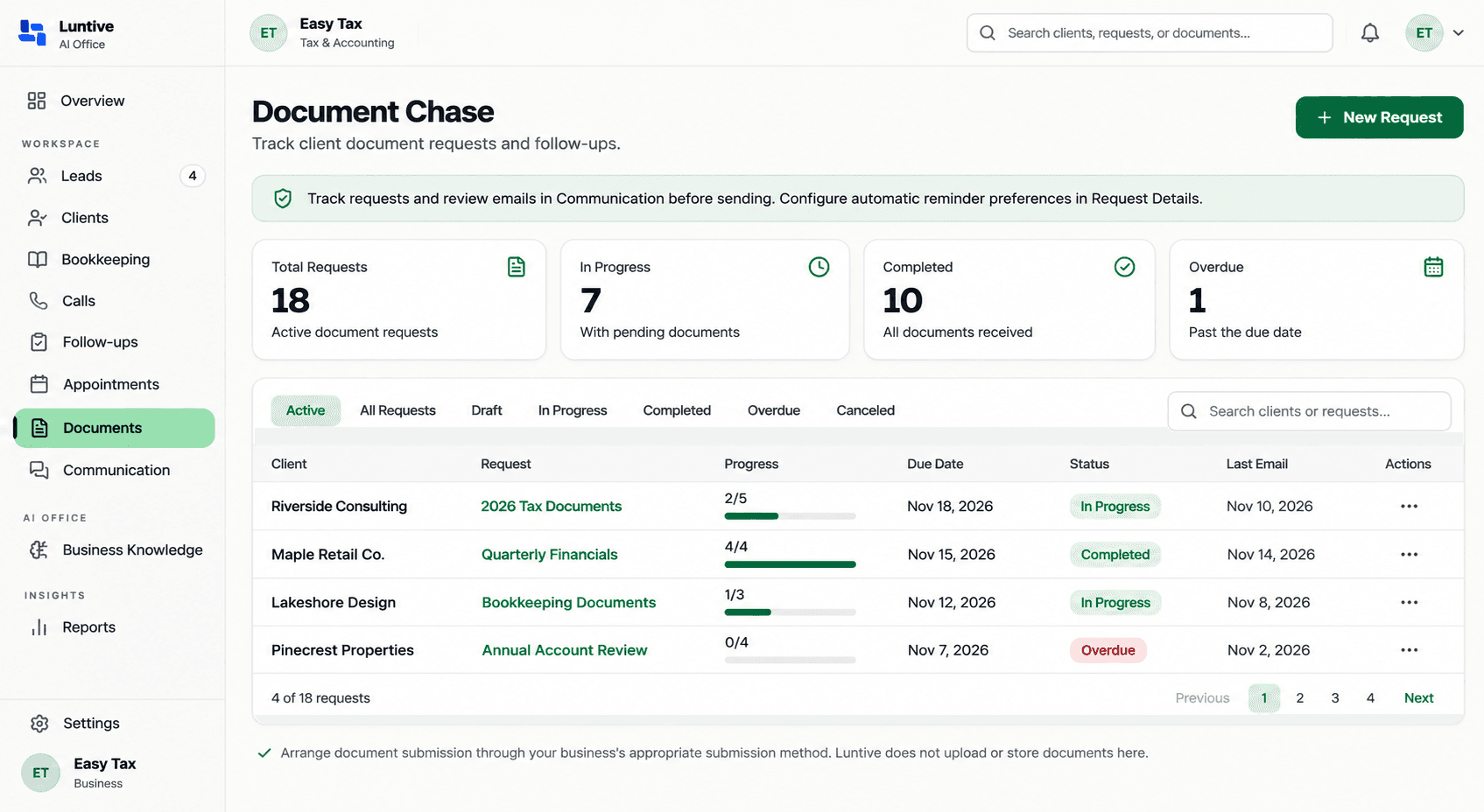
Clear requests give clients a useful next step and help your team keep work moving. Document Chase brings document checklists, outstanding items, and scheduled follow-ups into one organized workflow.
For teams evaluating client document request software, it offers a clear view of what has been requested and what staff have confirmed as received. Keep client document follow-up organized while clients continue using your business's approved submission method.
FEATURES
Build structured checklists so your team can clearly identify the documents needed from each client. Choose predefined document types or add custom document names to fit the request.
Start with 50 predefined document types across eight categories to build a clear request checklist. The gallery helps you select what to request; it does not contain client document files.
Save frequently requested document types as favorites for your business. Keep familiar items easy to find when preparing your next client checklist.
Schedule automated document reminders to support client follow-up. Give your team a planned approach to reminders while staff keep receipt status up to date.
See pending and received items alongside overall request progress. Staff manually confirm receipt after checking your approved submission method, keeping the recorded checklist current.
Review request activity and reminder history in one place. Give your team context for the next follow-up and a record of how the request has progressed.
Build a document checklist using the Universal Document Gallery, your business favorites, or custom document names. Include the items your team needs for the client's work.
Share the request with your client through your business's supported communication process. Direct them to your existing approved method for submitting documents.
Check submitted documents through your approved method, then manually mark items as received in Luntive. Review the remaining pending items and the request's recorded progress.
Schedule follow-up reminders and review reminder history as the request progresses. Keep staff-recorded statuses current so your team can plan the next step.
USE CASES
Document requests are part of everyday client work for many growing and local businesses. Luntive is currently available for Tax, Accounting & Bookkeeping firms. Other businesses can contact us to discuss availability.
Keep tax document request tracking organized around the items your team asks each client to provide. Staff confirm receipt and maintain a clear view of what is still pending.
Organize accounting document requests with a client document checklist tailored to the work at hand. Use predefined types, favorites, and custom names to make requested items clear.
Plan bookkeeping document reminders and track outstanding items for client work. Keep the recorded checklist and reminder history available when deciding what needs follow-up.
A structured document request process helps teams stay clear about what they need from clients and what has arrived. If your business is outside Tax, Accounting & Bookkeeping, talk with Luntive about availability and workflow fit.
DOCUMENT CHASE
Document Chase tracks document requests, scheduled reminders, and completion status based on staff-confirmed receipt. Clients continue submitting documents through your business's existing approved submission method.
Document Chase does not collect, upload, or store client document files. It does not automatically retrieve files from external systems or detect when documents arrive. Your staff check receipt and update each item's status in Luntive.
Marking an item as received records receipt; it does not verify the document's contents or complete the professional work it supports.
Document Chase is a capability within Luntive AI Office for organizing client document requests, tracking pending and received items, and managing scheduled follow-up reminders. Your team confirms receipt while clients use your existing approved submission method.
Yes. Build a request checklist from predefined document types and add custom document names for the items your business needs.
Document Chase does not collect, upload, or store client document files. Clients submit documents through your business's existing approved submission method; Luntive tracks the request and staff-recorded status.
Staff check your approved submission method, then manually mark the item as received in Luntive. Document Chase does not automatically detect receipt or retrieve files from external systems.
Yes. Save frequently requested document types as business favorites for future request checklists. Favorites save your document selections, not client document files.
Yes. Document Chase supports scheduled automated follow-up reminders and reminder history. Your team remains responsible for confirming receipt and keeping document statuses current.
Bring organized document requests and scheduled follow-ups into your wider office workflow. Document Chase is part of Luntive AI Office, powered by five specialized AI agents working together across leads, appointments, communication, and everyday office work.
Explore Luntive AI OfficeEssential website functionality stays available. If you allow optional tools, Google Analytics measures site use and Meta Pixel measures marketing visits. You can change your choice at any time.
Read our Privacy Policy